
Merchandise Assortment Planning, built on QuickApp
Instead of buying separate assortment planning software, build the assortment planning system you need on QuickApp, from store clusters and option capacity to range and SKU-level buys, with our planning consultants or on your own.
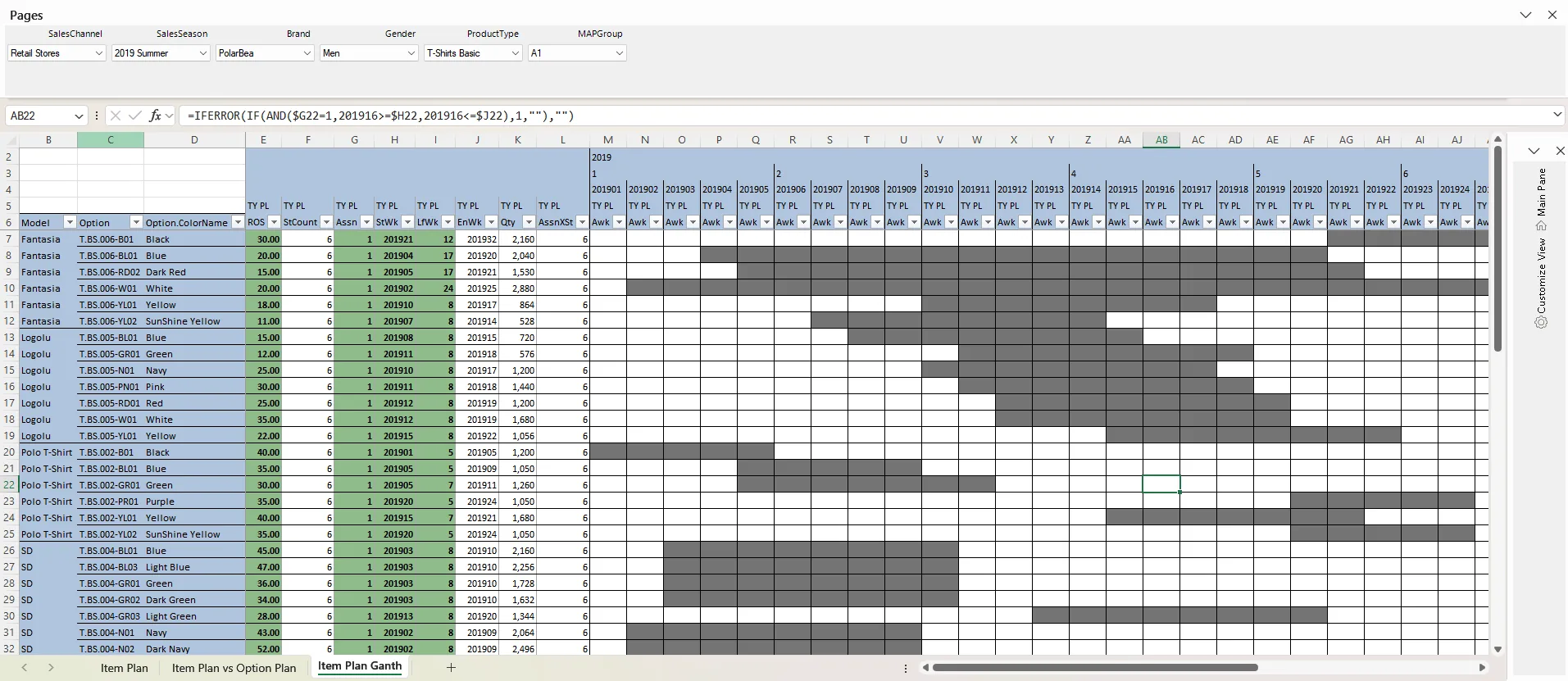
Build it your way
MAP is not a separate product. It is a solution built on the QuickApp platform, shaped by your organization, supply chain, brands and customers.
Build it with us
Our planning consultants design and deliver the MAP model together with your team, including algorithms written for your business, such as store clustering, size curves and buy quantities.
Build it yourself
Your team designs and changes assortment screens on QuickApp's low-code platform, guided by detailed documentation that opens with F1 on every developer screen, and step-by-step videos.
Change it any time
New attributes, clusters or planning steps are added on the platform, without starting a new software project.
From strategy to SKU
A typical assortment planning system on QuickApp covers these steps. Each one is modelled around your business and stays within the targets set in MFP.
Store clustering
Group stores by performance, revenue, floor space or any criteria you choose, with algorithms that take the guesswork out.
Option capacity plan
Plan how many options each store and season can carry, based on clusters, capacity and past performance.
Range plan
Build the range by price band and product attributes such as pattern or collar, in line with your collection strategy.
Item plan
Plan each option in each store at period, option and SKU level. Size algorithms keep sizes available through the lifecycle, and SKU quantities by store, product and day get options ready for allocation.
The five rights of merchandising
Every step of the assortment plan works toward one outcome.
Right product
What to sell
Options and ranges built on price bands and product attributes.
Planned in: Range planRight store
Where to sell
Each store carries the options its cluster and capacity can sell.
Planned in: Store clustering, option capacityRight quantity
How much to buy
SKU quantities by store, product and day, with sizes that last the lifecycle.
Planned in: Item planRight time
When to sell
Sales periods for each option in each store, across the season.
Planned in: Item planRight price
At what price
A price architecture that fits the brand and the customer.
Planned in: Range planWhy build MAP on QuickApp
Connected to your financial plan
Option counts and buy quantities stay within the sales, intake and open-to-buy targets set in MFP, on the same platform. Merchandise financial planning →
Algorithms written for your business
Clustering, size curves and SKU quantities follow your own rules and data, not a generic model.
Shaped around your structure
Your organization, supply chain, brand positioning and customer profile define the model, and it changes when they do.
Detail without spreadsheets
Plan thousands of options and SKUs across stores in one governed system, in the Excel your planners already know.
Decisions you can explain
Every option count and buy quantity traces back to the clusters, ranges and rules behind it.
Better results in season
A balanced assortment helps raise sell-through, lower markdown risk and use inventory more efficiently.
Assortment planning in use
Both retailers started with MFP on QuickApp and extended the same platform into assortment planning.
 Children's retail
Civil started with merchandise financial planning and store capacity, then extended QuickApp to end-to-end assortment planning, integrated with Nebim.
 Department stores
Boyner extended its QuickApp merchandise financial planning system with item planning, on Oracle.
Ask Claude or ChatGPT about your live assortment plans and approve the changes they prepare.
Frequently asked questions
What is merchandise assortment planning?
Merchandise assortment planning (MAP) decides what to sell, where and when: how many options each store carries, how the range is built across price bands and attributes, and how much to buy at SKU level.
How does MAP connect to MFP?
MFP sets the financial targets: sales, margin, intake and open-to-buy. MAP turns them into options, ranges and SKU-level buys. On QuickApp both work on the same data, so assortment decisions stay within the financial plan. Merchandise financial planning →
Is MAP a separate product?
No. MAP is a solution built on the QuickApp platform. The same platform runs merchandise financial planning, budgeting and any other planning application you build on it.
Where does the data come from?
Sales, stock, product attributes and store data come from your data warehouse. If you do not have one, we bring the data you need from your ERP into a data warehouse with ETL.
Let's design your assortment planning system
In 30 minutes we map your current planning process and discuss a practical first scope.