
Ask your plan: QuickApp now works with your AI assistant
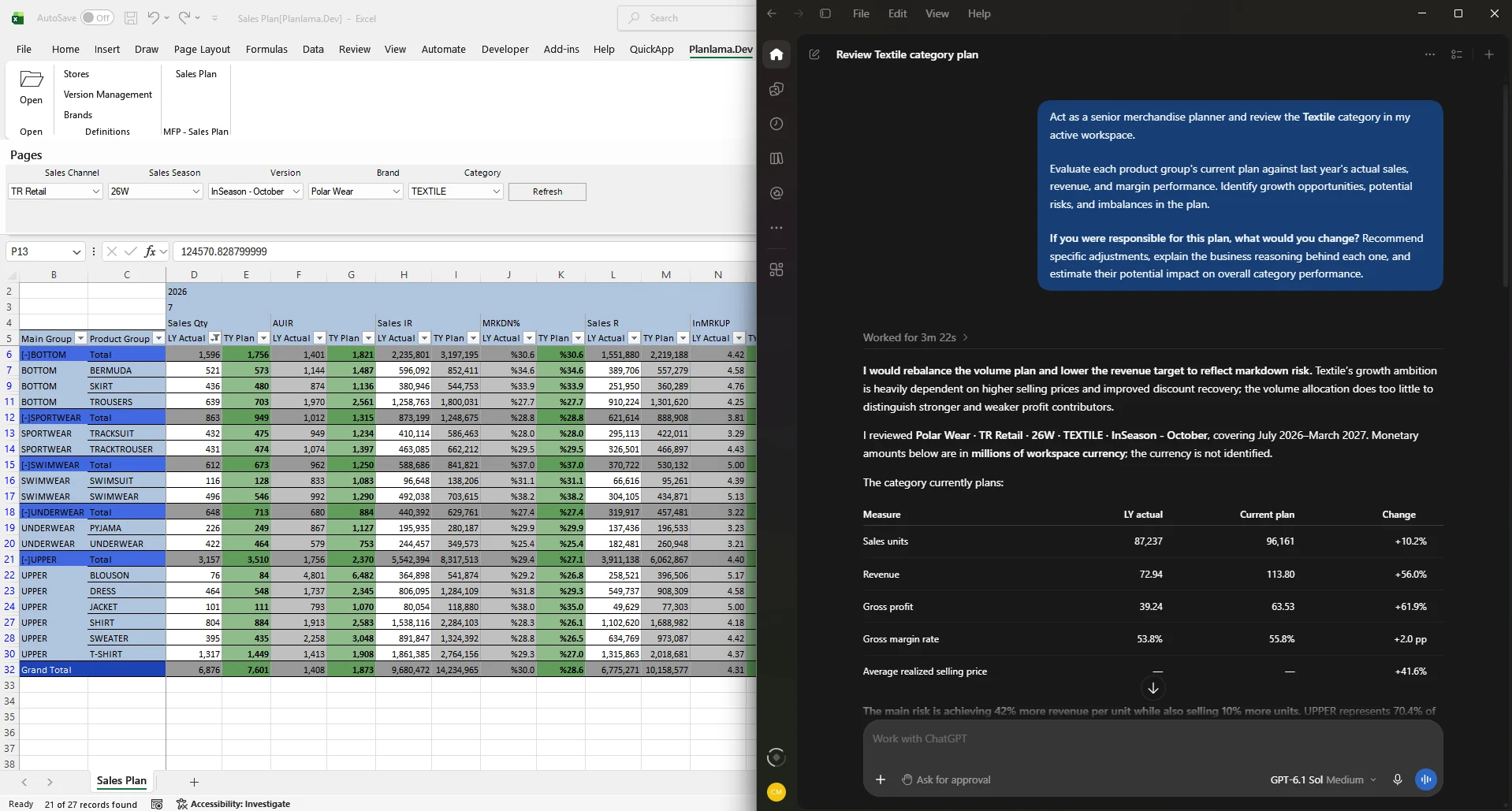
Today we are introducing QuickApp AI. Planners can now ask Claude or ChatGPT about their live QuickApp plans in plain language, and let the assistant prepare plan changes for their approval.
Why we built it
AI assistants have become part of everyday work for many teams. What they could not do was work with the plan itself: the live numbers, the planning rules and the permissions behind them. QuickApp AI closes that gap without giving up the control that planning data needs.
What it looks like in practice
A planner reviewing the season asks: “Which categories are furthest from budget, and which stores drive the gap?” The assistant opens the right workspace, loads the data and answers with QuickApp’s own totals.
The planner follows up: “How does that compare with the last three seasons?” The answer is not on any screen, so the assistant queries the reporting cube through an AI Dataset the administrator has opened to AI.
Finally: “Prepare a revised budget for the two weakest categories.” The assistant prepares the entries through QuickApp, explains what will change, and QuickApp shows the changes in Excel for the planner to apply.
Built for control
- Your permissions apply. The assistant only sees and changes what the user is allowed to, checked on every request.
- Only what each answer needs. Your databases are never copied in bulk. For each question, the assistant receives only the results it needs, from data the user is allowed to access.
- You approve the changes. By default, every change is shown in Excel first, and the planner applies all, some or none of them.
Getting started
QuickApp AI is available from QuickApp version 3.1. It works with the desktop apps of Claude and ChatGPT, as well as Claude Code, Codex, VS Code and Cursor, and is set up together with the QuickApp add-in.
Read how QuickApp AI works, or contact us to see it with your own plans.
Your planners know the business. QuickApp knows the plan. Now AI can help both, under your control.
More articles


See QuickApp with your own plans
A 30-minute session with our consultants, built around your planning process.